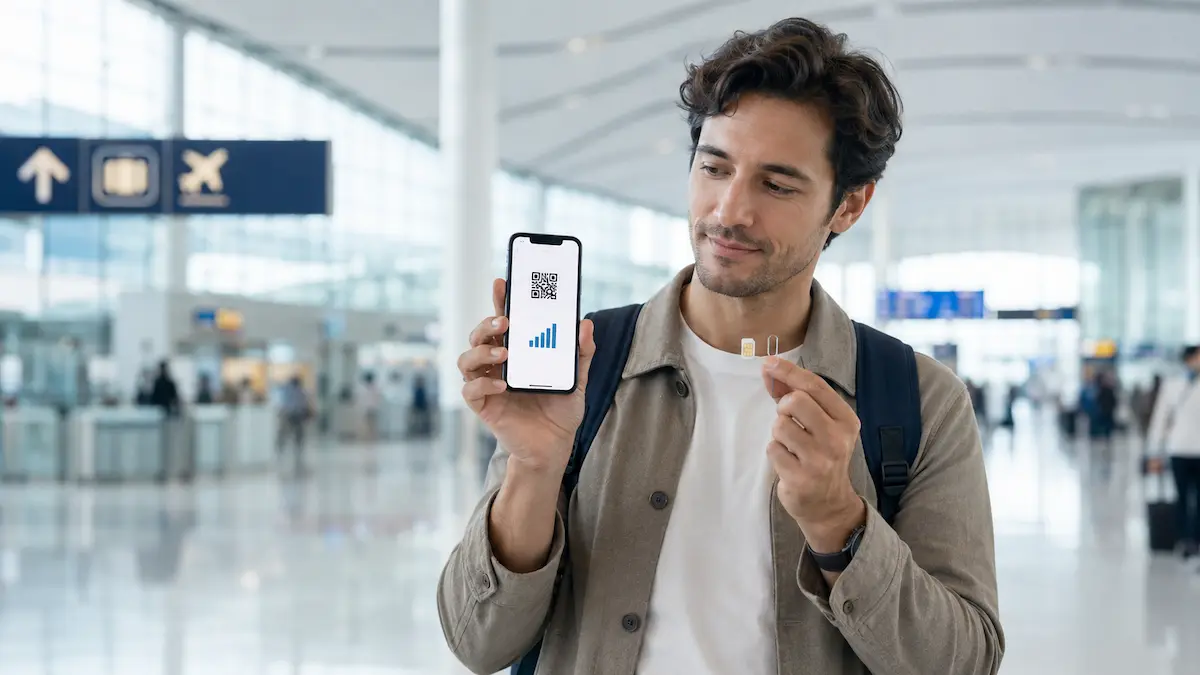
Mobile data makes traveling in Korea much easier. Visitors use it for maps, translation, transport information, reservations and communication with hotels or local businesses.
Foreign travelers can choose a physical SIM, an eSIM, international roaming or portable Wi-Fi. The best option depends on whether you need a Korean phone number, want installation help or need to keep your number from home active.
This guide will help you choose without getting lost in temporary promotions or technical details.
Last fact-checked: September 6, 2026. Plans, prices, airport counter hours and activation conditions can change.
1. Quick Guide: Which Option Fits Your Trip?
| Your situation | A practical option |
|---|---|
| You mainly need maps, translation and messaging | Data eSIM |
| You need a Korean number for calls or reservation messages | SIM or eSIM that includes a 010 number |
| You want help with installation | Physical SIM from an airport carrier counter |
| You are arriving late or need data immediately | eSIM prepared before departure |
| You need to keep your home number active | Dual-SIM setup or international roaming |
| Several people want to share one connection | Portable Wi-Fi or separate SIMs |
| You are staying longer than 90 days | A resident prepaid or monthly plan |
A short-term visitor who mainly uses maps and messaging may only need data. Travelers expecting calls or reservation texts should check whether the plan includes a Korean phone number.
Business travelers may also need outgoing calls, text messages and tethering for a laptop.
2. SIM, eSIM, Roaming or Portable Wi-Fi?
Physical SIM
A physical SIM is inserted into your phone. Tourist SIMs are available from Korean carriers and authorized sellers.
Advantages
- Airport staff can help with installation and activation.
- Plans with Korean phone numbers are available.
- It works with phones that do not support eSIM.
- You can check the connection before leaving the counter.
Points to consider
- Your phone must be unlocked.
- You may need to remove and store your home SIM.
- Airport counters may have queues or limited opening hours.
- You will not have mobile data until you collect and activate the SIM.
A physical SIM is a practical choice if you want in-person support or are unsure about eSIM compatibility.
eSIM
An eSIM is a digital mobile plan installed on a compatible phone, usually with a QR code.
Advantages
- Many eSIMs can be purchased online before departure.
- Products without airport pickup can save time after arrival.
- Your home SIM can remain in the phone.
- The service may connect as soon as the phone reaches a Korean network.
Points to consider
- Your phone must support eSIM and be unlocked.
- Installation requires an internet connection.
- Some eSIMs provide data without usable call or text features.
- An activated eSIM may not be reinstallable if it is deleted.
- Support depends on the exact phone model and country of purchase.
An eSIM suits travelers who want to prepare in advance and are comfortable changing mobile settings.
International roaming
International roaming lets you continue using your home carrier and number.
It requires little setup, but the price and data allowance depend on your carrier. It also does not give you a Korean mobile number.
Roaming can be useful for a short business trip when keeping your usual number is more important than having a local one.
Portable Wi-Fi
Portable Wi-Fi connects several phones or devices through one mobile router.
It can be useful for a family or small group, but everyone needs to remain near the router. The device also needs charging and must normally be returned before departure.
Free public Wi-Fi is also available in many airports, subway stations, train stations and selected public spaces, but it is better treated as a backup rather than your only connection.
Do You Need a Korean Phone Number?
A data-only plan can be sufficient for:
- Naver Map or KakaoMap
- translation apps
- email and web browsing
- WhatsApp, LINE or KakaoTalk
- checking transport information
- online tickets and confirmations
A Korean 010 number can help with:
- restaurant waiting lists
- reservation messages
- calls from hotels or tour operators
- communication with drivers
- local customer service
Check the product details carefully. Depending on the plan, a number may support incoming calls and texts while outgoing calls or messages require an additional balance.
A tourist SIM with a Korean number is not the same as a fully identity-verified Korean mobile account. It may receive reservation codes but still fail identity verification for banking, government services and some resident-only platforms.
For a fuller explanation of what a Korean phone number can and cannot do for short-term visitors, see our Korean Phone Number guide.
3. Where Can You Buy One?
Before arriving in Korea
Korean carrier eSIMs and international travel eSIMs can be purchased online. The QR code and instructions are generally sent by email.
Before buying, check:
- whether it is data-only
- whether it includes a Korean number
- whether calls and texts are supported
- whether your phone is compatible
- when the usage period begins
- whether passport verification or airport pickup is required
The word “unlimited” does not explain the full plan. Check whether high-speed data is limited or whether a maximum speed applies.
Keep the QR code and installation instructions somewhere you can access without mobile data.
At the airport
Korean carriers operate roaming centers at major airports, including Incheon, Gimpo and Gimhae. Services and locations vary by carrier and airport.
At an airport counter, travelers may be able to:
- buy or collect a physical SIM
- verify passport information
- add voice or text credit
- receive installation support
- check whether data, calls and texts work
Bring your passport, unlocked phone and reservation voucher if you ordered in advance.
Counter locations and hours can change. Check the carrier’s official website shortly before traveling.
In Seoul and other cities
Prepaid SIM cards are also sold at selected convenience stores and specialist mobile shops. Official tourism information lists convenience stores as possible SIM sales locations.
Availability varies by branch. The store may sell the SIM kit without helping with registration or activation. You may need your passport, an online registration page and an existing internet connection.
Downtown purchase is useful if you skipped the airport, but check the store and product availability before visiting.
4. How to Choose the Right Plan
Trip length
Tourist plans are sold for fixed periods, from short visits to stays of up to 90 days.
Check when the period begins. Depending on the product, it may start with the first data use, first connection to a Korean network or another activation event.
Some plans count exact 24-hour periods rather than ending at midnight. Include both your arrival and departure time when choosing the duration.
Data and speed
Plans may provide:
- a fixed data allowance
- daily high-speed data followed by reduced speed
- unlimited data at a stated maximum speed
- LTE or 5G access
Maps, translation and messaging generally use less data than video calls, streaming or large uploads. Business travelers using a laptop should also check whether tethering is supported.
Calls and texts
A Korean number does not automatically include free outgoing calls and texts.
Check whether the plan provides:
- incoming calls
- incoming text messages
- outgoing calls
- outgoing text messages
- online top-up for voice or text credit
If you need local contact for work, accommodation or tours, confirm these functions before paying.
Phone compatibility
Check the exact device rather than only the brand.
Your phone should be:
- carrier-unlocked
- compatible with the selected SIM or eSIM
- included on the provider’s compatibility list
- capable of dual-SIM use if you want to keep your home line active
eSIM support can vary between models sold in different countries.
5. Activation, Extension and Reuse
Physical SIM
Follow the provider’s installation instructions and keep your home SIM in a safe place.
If the phone does not connect, restart it and check the carrier’s setup instructions. Travelers purchasing at an airport should test the connection before leaving the counter.
eSIM
The usual setup is:
- Connect to Wi-Fi.
- Open the phone’s mobile or cellular settings.
- Select the option to add an eSIM.
- Scan the QR code.
- Select the new eSIM as the mobile data line.
- Follow the provider’s instructions for roaming and network settings.
Installing an eSIM does not always start the paid usage period. The activation point depends on the product.
Do not delete an active eSIM without checking the provider’s policy. LG U+, for example, states that its activated tourist eSIM cannot be reinstalled or reissued after deletion.
Extension
Some tourist plans can be extended while they are active. Voice and text credit may also be topped up separately.
Check the extension option before the plan expires. KT states that the combined initial and extended period for its tourist SIM cannot exceed 90 days.
Can You Use It on Your Next Trip?
Tourist SIMs are designed for a limited period. When the plan expires, the service and Korean phone number may also expire.
Keeping a physical SIM does not confirm that it can be used on a later visit. Unless the provider clearly offers reactivation after expiration, expect to purchase a new plan.
An expired eSIM profile may remain visible on the phone, but this does not mean it still has service. A later trip will often require a new eSIM.
6. Practical Checklist Before You Buy
Your phone
- Is it carrier-unlocked?
- Does it support eSIM?
- Is the exact model on the compatibility list?
- Can it use two lines at the same time?
- Do you need to keep your home number active?
The plan
- Is it data-only?
- Does it include a Korean 010 number?
- Can it receive calls and texts?
- Do outgoing calls and texts require a top-up?
- How much high-speed data is included?
- Does a speed limit apply?
- Is tethering supported?
Activation
- When does the usage period begin?
- Can the eSIM be installed before departure?
- Is passport verification required?
- Does the product require airport pickup?
- Will you need Wi-Fi for installation or registration?
- Can the eSIM be reinstalled if it is deleted?
Extension and expiration
- Can the plan be extended?
- Will an extension keep the same number?
- Is there a maximum total usage period?
- Can the SIM be reactivated after expiration?
- When does the product become non-refundable?
For payments, maps, apps and other digital essentials, return to our Money, Phones & Apps guide.
Final Takeaway
Choose according to what you will use in Korea.
A data eSIM can be convenient for maps, translation and messaging. A physical SIM from an airport counter can be easier when you want installation support. If local calls or reservation messages matter, look for a plan that clearly explains its Korean number, call and text functions.
Before paying, confirm four things:
- phone compatibility
- Korean-number availability
- data and speed conditions
- activation and expiration rules
These details are more useful than choosing by price or the word “unlimited” alone.
If you are preparing your phone before arrival, our First Day in Korea guide also explains maps, payments, transport and essential setup.